For changing the login password of OWA (Outlook Web App) on webpage, please do as follows:
1. Login to your portal.office.com (owa) account.
2. Click Settings > Change password at the upper-right corner.
See screenshot: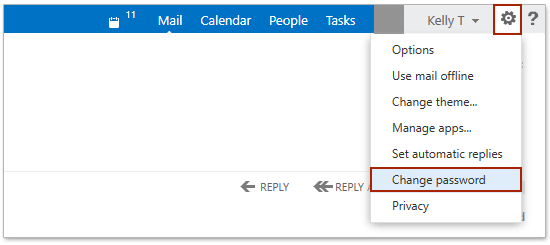
3. Now you get into the settings webpage, type the original password into the Current password box, type your new password into both New Password and Confirm new password boxes, and then click the Save button.
See screenshot: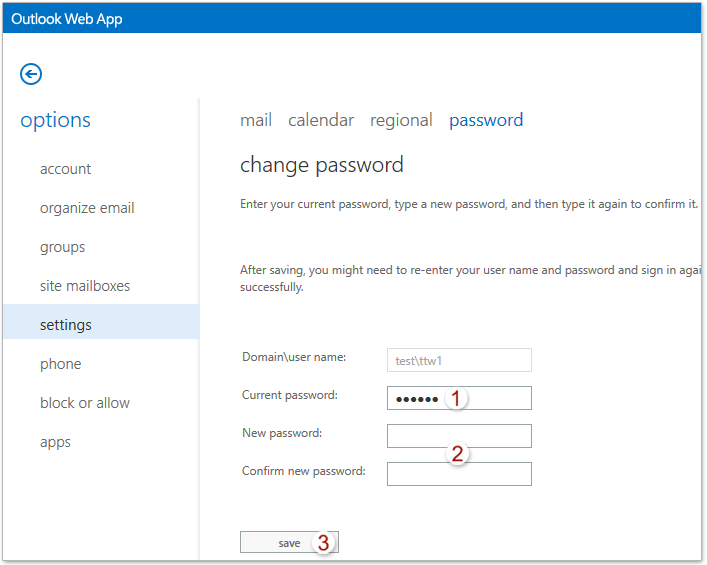
And now you return to the OWA login webpage and log in to your OWA with the new password.